This is the multi-page printable view of this section. .
Articles
1 - From RDR2 to GTA VI: when collector’s boxes trade game-world props for streetwear
The GTA VI Goodtime State – Vice City Collection costs $399.99. The game is sold separately, and the item is not eligible for free shipping. Some fans are unhappy with the price; IGN reports that they are comparing it with the collector’s box for Red Dead Redemption 2 (RDR2).
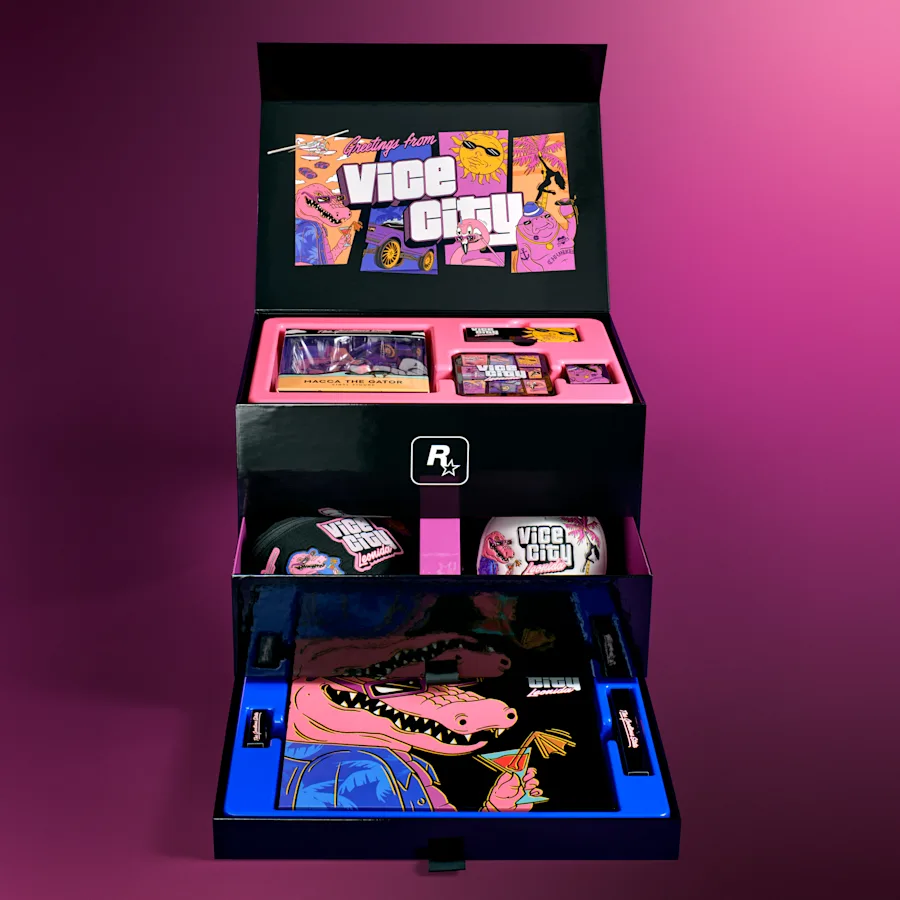
But the issue is not simply “$400 without the game.” RDR2’s $99.99 Collector’s Box from 2018 did not include the game either. What changed between its Western-world artifacts and GTA VI’s sunglasses, hat, and crossbody bag is what Rockstar expects fans to want to collect.
Four boxes, two different kinds of product
| Product and year | US price at launch | Game included? | Notable physical items |
|---|---|---|---|
| GTA IV Special Edition (2008) | $89.99 | Yes | Metal safety deposit box, art book, soundtrack CD, Rockstar duffel bag |
| GTA V Collector’s Edition (2013) | $149.99 | Yes | SteelBook, blueprint map, security deposit bag, New Era cap; in-game extras |
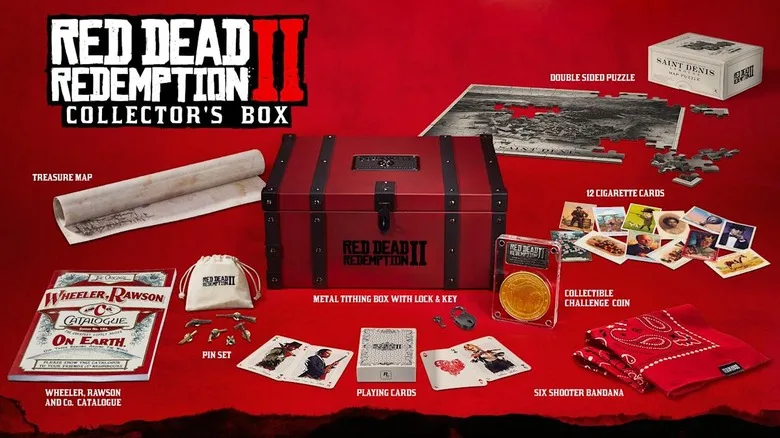
| RDR2 Collector’s Box (2018) | $99.99 | No | Metal camp tithing box, 150-page store catalogue, puzzle, playing cards, cigarette cards |
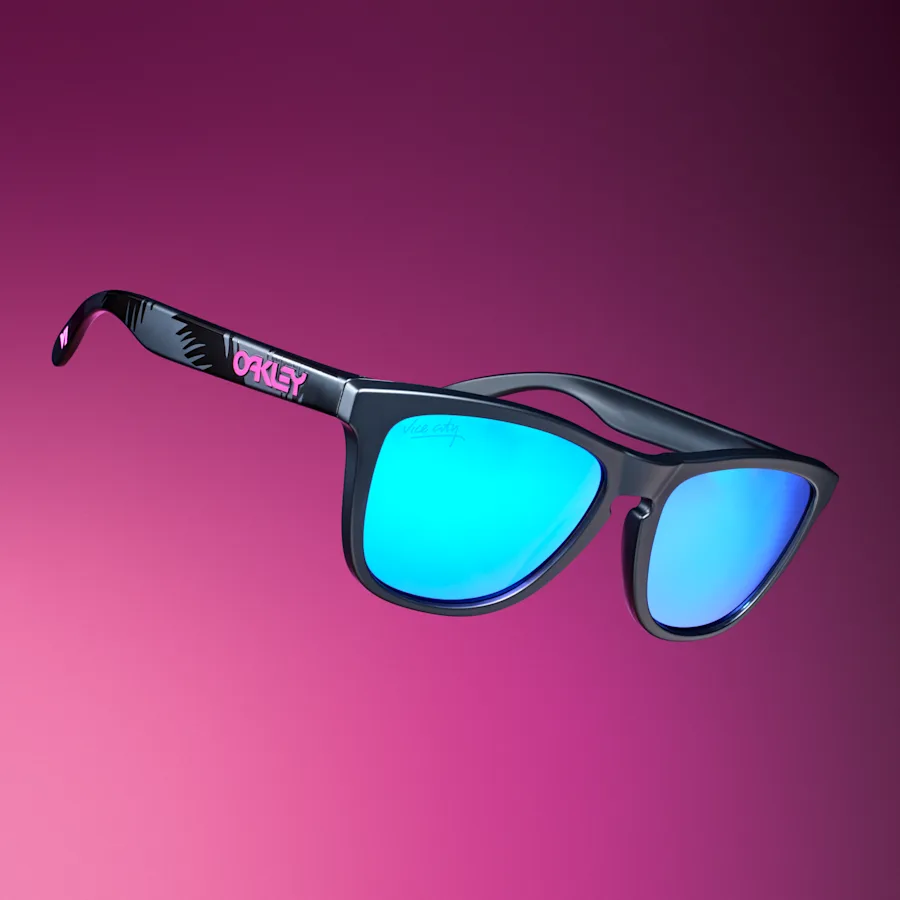
| GTA VI Vice City Collection (2026) | $399.99 | No | Oakley Frogskins sunglasses, New Era 9FORTY cap, crossbody bag, Macca the Gator figure, poster/map |
These are nominal US prices at the time, not inflation-adjusted figures. They exclude tax, shipping, and any separately purchased game. The GTA VI price is also reported by Wccftech; its contents and separate-game notice are on Rockstar’s product page. GTA IV and GTA V included the game, so they are not direct like-for-like value comparisons with the later boxes.
Why RDR2’s $100 felt like buying a piece of its world
The RDR2 Collector’s Box turned in-game objects into physical ones: its metal tithing box echoed the gang’s camp; its 150-page Wheeler, Rawson and Co. catalogue recreated an in-game store; its playing cards, cigarette cards, and treasure map extended the experience of finding collectibles. The appeal was not just the number of items. They looked as though they belonged in the game’s world.
The GTA VI box instead gives more space to things you can wear and use: Oakley sunglasses, a New Era cap, and a Leonida Keys crossbody bag. It still has in-world references—the Macca the Gator figure, Vice City drinkware, pins, and Leonida map. But the emphasis feels more like wearing Vice City than displaying replicas of what a character might collect.
The $400 question is bigger than the missing game
At their listed prices, the GTA VI box costs about four times as much as the RDR2 box. Branded eyewear and a cap might account for some of that gap, but a contents list cannot tell us their actual quality, manufacturing cost, or whether the set is worth $400 to any particular fan. A separate copy of the game and shipping add to the total.
To me, the sharpest break is not the missing game—RDR2 set that precedent—but a jump into the $400 tier at the same time as the focus moves from game-world artifacts to real-world fashion accessories. If what you want is a box of objects that evokes Arthur Morgan’s world, RDR2’s approach makes more sense. If you want Vice City-branded things to wear, GTA VI’s approach has its own logic. Collecting a game world and buying branded merchandise are different expectations.
Who is each box for?
- GTA IV: Game, metal box, art book, and soundtrack CD. It is the clearest example here of a traditional, complete physical special edition.
- GTA V: Game, blueprint map, and in-game bonuses. Best suited to fans who want physical Easter eggs alongside digital extras.
- RDR2: No game, but its Western-world props come closest to extending the experience of collecting things in-game. It is my favorite design approach of the four.
- GTA VI: For fans who specifically want Oakley, New Era, and other wearable collaborations. If you expect an art book, soundtrack, or game copy, check the actual contents before buying.
These are judgments about positioning, not hands-on assessments of build quality or comparisons with today’s resale prices.
Sources
- Rockstar Store: GTA VI Goodtime State – Vice City Collection: contents, game sold separately, and shipping terms.
- Rockstar Games: RDR2 Collector’s Box announcement: original price and contents.
- Take-Two: GTA V Collector’s Edition press release (PDF); Engadget: GTA IV Special Edition: earlier prices and contents.
- Engadget: RDR2 Collector’s Box product image.
- IGN: fan reactions to the GTA VI set; Wccftech: GTA VI box pricing: price and context for the comparison.
2 - Safari 27 MCP: Let an agent use your browser—but can it replace ego-browser?
Safari 27’s MCP server is not a chat box inside the browser. It gives the AI assistant you already use a way to operate Safari. Agents such as Claude Code and Codex can capture screenshots, read the DOM, inspect console messages and network requests—and also click, type, scroll, switch tabs, and run JavaScript in a page.
That supports a workflow like “open a site → search → follow an article → extract its content,” not just read-only debugging.
How to connect
Use Safari 27 on a Mac. You do not necessarily need macOS 27: WebKit also lists Safari 27 updates for macOS 15 and 26.
- In Safari → Settings → Advanced, enable Show features for web developers.
- Under Developer, enable Allow remote automation and external agents.
- Add the MCP server in your terminal, choosing the command for your assistant:
Start a new assistant session, confirm the connection, and begin with a URL:
Open https://example.com in Safari, check that it loads, look for console errors, and take a screenshot. Report your findings without changing any code.
Apple notes that the first action should navigate to a webpage. Listing tabs or creating one before the controlled window exists may fail. Once it opens, ask the agent to follow links, fill a test form, or check a narrow viewport.
How is it different from Chrome?
The comparison here is with Chrome DevTools MCP, not Chrome’s chat assistant.
| Safari MCP | Chrome DevTools MCP | |
|---|---|---|
| Setup | Built-in safaridriver --mcp | Runs chrome-devtools-mcp through Node.js/npm |
| Browser actually tested | Safari/WebKit | Chrome/Blink |
| Inspection | DOM, screenshots, console, and network; performance metrics through page JavaScript | Similar page inspection, plus dedicated performance-trace recording and analysis tools |
Already using Chrome? Safari is still a useful addition. The main benefit is letting one agent inspect both browsers rather than guessing, from Chrome alone, why a layout breaks in Safari.
Can it replace ego-browser?
There is overlap in everyday page interactions, but it is not a drop-in replacement. ego-browser provides task spaces, access to existing signed-in contexts, and workflows for handing control between a person and an agent. Apple’s documentation describes opening a new window marked as agent-controlled, without documenting equivalent task-space and handoff APIs.
In particular, do not assume it inherits your everyday Safari logins. Apple says MCP does not access personal Safari information; that is not a promise that it can take over an already signed-in Gmail or GitHub session. Login reuse and session persistence still need testing. The published tool list also does not establish parity with Ego’s file-upload, download, and low-level control interfaces.
Safari MCP is worth considering for testing your site, reading pages, and performing ordinary interactions. Acting through your everyday accounts with smooth human handoff is a different requirement; “supports MCP” does not establish equivalence.
Local execution does not mean all data stays local
The Safari MCP server runs on your machine and makes no network calls of its own. Captured pages, screenshots, and logs go to the connected agent, not Apple. Whether they then reach a cloud model depends on your assistant’s configuration. Keep sensitive pages away from untrusted agents, and require human confirmation before submitting, sending, or purchasing.
The interesting development is not simply that Safari “has AI.” It is that agents now have an official way to operate Safari—but operating webpages and taking over your everyday browser are different things.
Sources and verification scope
This article is based on documentation, not a hands-on Safari 27 MCP connection test. Unverified login behavior is not presented as a supported feature.